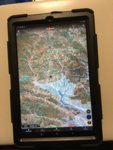
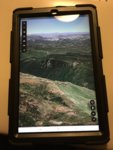
Tablet for OnX

Joined
Sep 23, 2018
Messages
1,964
Location
Santa Rosa, CA
Looking to pick up a tablet for the sole purpose of running mapping software on, primarily google earth and OnX. What are you guys using or would recommend? I’d like to keep it under $200, 9 inch or bigger display, and GPS capable without a cellular data plan. Always been an Apple user but I’m open to trying an Android system.
 
Last edited:
Idk the answer, but I'd do some research on processor speed.
I bought a cheaper tablet with decent reviews a couple yrs ago, and it was so irritatingly slow I only used it for a few months.
 
I used an iPad mini before i had a phone with enough memory to store maps. It worked great and I loved the large display. I used the same device for piloting my DJI quad.

The downside was it had to ride in the pack in the backcountry so not readily available. I use a phone now for that reason. If you're not backpacking its great.
 
I used an iPad mini before i had a phone with enough memory to store maps. It worked great and I loved the large display. I used the same device for piloting my DJI quad.

The downside was it had to ride in the pack in the backcountry so not readily available. I use a phone now for that reason. If you're not backpacking its great.

I’ll still use my phone for the backcountry, the tablet would just be for home and truck use. Size and weight aren’t much of a concern.
 
Any newer Galaxy Tab will work well. Tab A with no cellular would be ideal. Fast and very long battery life.
I run a Tab S2. It has cellular, which has been great, but that's $100 over your budget and not your specs. I wasn't going to get one with cell, but very glad to have it. Used it in WY this year for goats on public/private.

Crazy battery life is what I appreciate the most.
 
Any newer Galaxy Tab will work well. Tab A with no cellular would be ideal. Fast and very long battery life.
I run a Tab S2. It has cellular, which has been great, but that's $100 over your budget and not your specs. I wasn't going to get one with cell, but very glad to have it. Used it in WY this year for goats on public/private.

Crazy battery life is what I appreciate the most.

I actually just bought a 2019 Tab A 10.1. Seemed to check all the boxes. Wyoming is in the cards this year so it’ll be nice to have that in the truck for easy reference.
 
I’ll still use my phone for the backcountry, the tablet would just be for home and truck use. Size and weight aren’t much of a concern.
Perfect.

I've thought about doing the same and adding the tablet back in to my system for truck scouting and truck base camp, but I can't remember how many devices OnX allows on one account. Right now I'm using phone and desk top.
 
Perfect.

I've thought about doing the same and adding the tablet back in to my system for truck scouting and truck base camp, but I can't remember how many devices OnX allows on one account. Right now I'm using phone and desk top.

You can be logged in on up to 2 mobile devices at the same time with the same account (logging into the desktop does not count towards that device total). You can log in on additional devices as well, it will just log you out of one of the other ones.

Additionally for anyone looking for device recommendations, give us a call at 406-540-1600 or get a hold of us through our website as our customer support is up to date on devices that work the best.
 
Last edited:
You can be logged in on up to 2 mobile devices at the same time with the same account (logging into the desktop does not count towards that device total). You can log in on additional devices as well, it will just log you out of one of the other ones.

Additionally for anyone looking for device recommendations, give us a call at 406-540-1600 or get a hold of us through our website as our customer support is up to date on devices that work the best.
Thanks very much. I've been meaning to email you guys about that as this thread got me wondering.
I appreciate you taking the time to clarify that for us.
Is that phone number good for other inquiries as well? I have another issue I need help with.

Thanks again,
BH.
 
Thanks very much. I've been meaning to email you guys about that as this thread got me wondering.
I appreciate you taking the time to clarify that for us.
Is that phone number good for other inquiries as well? I have another issue I need help with.

Thanks again,
BH.

Yes it is, we have a handful of people in Montana answering the phones that can help with anything regarding the onX Hunt App or Chip.
 
I have used my iPhone in the past. I like the idea of a small tablet too. Good info, thanks for the post, thanks to onX for the response as well.


Sent from my iPhone using Tapatalk
 
I have an iPad mini 2 that bought for the sole purpose of using for gps maps. I paid 130 from eBay. It used to be great for onx, but they quit supporting landscape view... so now I use gaia. Mine is only 16gb and I can easily store 3-4 units worth of maps
 
I have an iPad mini 2 that bought for the sole purpose of using for gps maps. I paid 130 from eBay. It used to be great for onx, but they quit supporting landscape view... so now I use gaia. Mine is only 16gb and I can easily store 3-4 units worth of maps
Check out compass mode, this will orient the map in the direction you are facing so if you have it in a landscape dash mount then it will be easier to navigate. To enable this, tap the location icon in the bottom right hand corner once to bring it to your location, then press it again to enable that compass mode.
We appreciate the feedback and I'll pass that along to our team.
 
Check out compass mode, this will orient the map in the direction you are facing so if you have it in a landscape dash mount then it will be easier to navigate. To enable this, tap the location icon in the bottom right hand corner once to bring it to your location, then press it again to enable that compass mode.
We appreciate the feedback and I'll pass that along to our team.

Thank you for the tip. I forgot about doing it that way. I do have a permanent dash mount in the landscape mode. I can get by doing it that way, but its still a small annoyance having to read sideways on menus for waypoints and tracking. It drives me nuts that it used to be supported and now it is not. I keep holding my breath that it will be supported again, but its been two years...


Sent from my iPhone using Tapatalk
 
Back
Top