CPW Draw Stats Excel Conversion

hunthikecamp

Lil-Rokslider
Joined
Mar 7, 2024
Messages
186
Location
Colorado
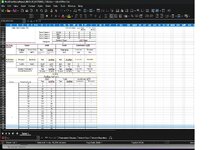
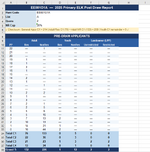
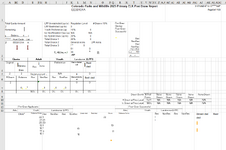
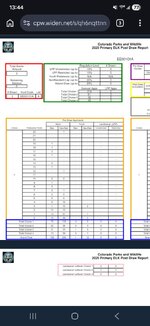
Has anyone had any luck or found any software that will convert CPWs draw reports to excel files? An example of the CPW format im talking about is attached.

I havent found anything that cleanly interprets it yet, AI does a decent job but even it admits it is hard to parse some of the '1' vs '-' cells since its just an image and it makes some pretty basic mistakes in its interpretations.

Ive gotta assume GoHunt and the other big companies do a records request or something of the sort rather than trying to convert this massive pdf, but my bet is that the cost and time for doing it that way is prohibitive for the individual hunter.
 

Attachments

  • Screenshot_20260308_134406_Chrome.jpg
    Screenshot_20260308_134406_Chrome.jpg
    126.6 KB · Views: 12
You can probably make something usable with Power Query in excel. I used it for Wyomings odds. Just need to set it up to manipulate the data into a useable form then feed it the rest of the pages.
 
I use Adobe online for pdf to xls conversions. Some are way better conversions than others, AZG&F is the worst.
Nice, I will give this a try, thanks!

Just contact the department and ask if they can send it to you.
I did try this but didn't have much success, after a while they sent me a file but it was not a usable file, didn't have any meaningful data. I'm not sure what was up with it but I never got resolution on it.
 
Nice, I will give this a try, thanks!


I did try this but didn't have much success, after a while they sent me a file but it was not a usable file, didn't have any meaningful data. I'm not sure what was up with it but I never got resolution on it.

CPW should have a public info request email or form, simply tell them you want the "post draw report" for the species you want, in excel format. Depending on state law, they may or may not provide the data, but will give you an answer as to why if they don't provide it. Because they publicly provide the data in pdf, they may not be required to provide it in excel format.
 
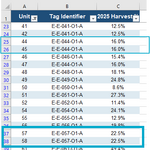
No issue converting Drawn Out requiring only minor clean up
But Draw Recap i think is impossible. Too much data with too many fields per page for Excel to clean it up. Unfortunate as I also would like this data in excell
 
No issue converting Drawn Out requiring only minor clean up
But Draw Recap i think is impossible. Too much data with too many fields per page for Excel to clean it up. Unfortunate as I also would like this data in excell
Yeah and so far most of the important data ive been after is in the Drawn Out, it doesnt tell the full picture but a lot of the Draw Recap data is reading tea leaves anyway when you talk about using it to try and forecast. Ill keep messing around with it and see what i can come up with
 
I plan to use Claude Code and python to automate this with pdf reading packages. I will follow up with my results. I’ve looked into requesting the data from CPW, but they will charge you for time. Not sure how much that would be, but I figure in a world with AI this can be done for next to free.
 
If all goes well with Claude, I plan to parse the last 5 years of pdfs and database the data. The hardest part is creating the script to grab the data from the pdf correctly. Once that part is ironed out (fingers crossed it can figure it out), it should be cake.
 
Glad to hear im on a similar path to others, ive also been really impressed with Claude's deciphering of it all. I spent a few hours teaching it how the draw works (pref pts and choices) and its not perfect but its come a long way and I can have pretty productive conversations with it rather than just filtering like gohunt. Plus it sucks that GoHunt decided not to keep the list A vs B metadata on all the tags, makes filtering almost useless sometimes
 
Back
Top