Iphone photo upload help

Team4LongGun

Super Moderator
Staff member
Joined
Aug 4, 2019
Messages
2,216
Location
NW MT
Our family all have iphones, and years of photos on them and in the cloud. I am looking for a plug and play way to upload, offload for backup storage and usage the photos IN BULK. Itunes sucks.

It seems the icloud is a click each one for copy and transfer, there has to be a better way! The end goal is a standalone hard drive that has all the photos.
 
Google Photos is one option. Also, if you have a mac and all of you have icloud backup to save all of your photos, you could do something like this:

On your Mac, go to System Preferences > iCloud and turn on Photos. This downloads all your iCloud photos to your Mac's Photos app.


Then open the Photos app, select all your photos (Cmd+A), go to File > Export, and save them to an external hard drive. That's your backup.
 
I don't have a mac, but would actually consider buying one just to be able to do this.

Thanks!
 
  • Like
Reactions: ODB
Do you not use a Mac at home? I plug my phone in, it downloads all pics to Photos and then my Time Machine backs them up. So they are in two places.
 
Crap, sorry. Just saw you posted you don’t have a Mac as I posted above.

I have used a Mac for almost 30 years now and will use nothing else. As a matter of fact we just bought a new IMac for my wife. I find them incredibly easy to work with for business and home.
 
I didn't have an iPhone so not sure if it would work but I can plug my Motorola Android phone in to my laptop via usb and navigate to the photos folder and simply cut and paste everything to my laptop.
 
I don't have a mac, but would actually consider buying one just to be able to do this.

Thanks!
If you do go that route, you'd want to be mindful you get enough storage space if you're talking about an absolute mountain of photos between all the phones, because I believe they do have to end up on your hard drive before you load them onto some other media like an external hard drive. Good luck!
 
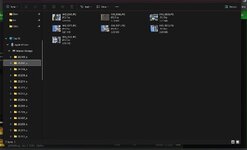
You can plug a usb or usb-c in to the pc or laptop, the other end into your iphone. The pc will create a new drive for the Iphone and you can then download from the file manager screen. It appears you have to open each folder, then you can group select the entire contents and copy to a destination. Syntax for the folders is yyyymm.
In the past you could select the folder from the tree and copy but that doesn't seem to be the case, with my phone anyway.
I use Google photes because it allows me to pick the ones I want to download and segregate them into appropriate folders on my laptop.
 
I was hoping to grab them all at once, and worry about going through them later-like when I'm old, bored and too cripple to hunt haha.

So is there a way without buying a new computer? Meaning not having to click on each photo for transfer?
 
depending on the number, storage requirements and number of users. Google Photos or get a NAS like the ugreen dh2300 with 2 hard drives for redundancy, install the apps and automatically backup photos from multiple family members to the NAS. Can then share or view.
 
I was hoping to grab them all at once, and worry about going through them later-like when I'm old, bored and too cripple to hunt haha.

So is there a way without buying a new computer? Meaning not having to click on each photo for transfer?

You can window around all of them to select but on my iphone I have to open each monthly folder. Once a month maintenance isn't too bad.
If you're going to sort/organize later, google photos is probably the easiest way but you will need to purchase addl storage. The google photo app on your phone will let you know when new pics have been taken, then tick the icon and it backs all of them up, sorted by year/month/day.

Iphone as an addl hard drive on the computer:

Untitled.jpg


Google Photos layout:

1.jpg
 
Back
Top