Account Hacker - Two Step Verification!

Ive tried setting up on an Iphone with google authenticator several times. Never works, after code entry it asks for my password then says “oops, we ran into problems”.

What authenticator app works with this site?
 
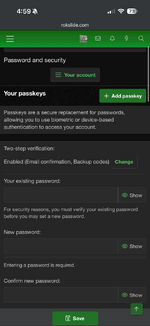
Neither way works for me, Google authenticator app or E-mail. In both cases I proceed through setting it up, it gets to the confirmation point where it asks for the code. I enter the code, then it asks for my password, I enter my password and it takes me to an odd “Oops, we ran into some problems” screen.
I go back to settings and its not set up. Does this repeatedly.
 

Attachments

  • IMG_9105.png
    IMG_9105.png
    532.1 KB · Views: 6
Ive tried setting up on an Iphone with google authenticator several times. Never works, after code entry it asks for my password then says “oops, we ran into problems”.

What authenticator app works with this site?
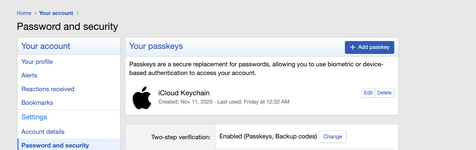
Why not setup and use the native iOS Passkey? That's what I use. If logging in on the phone I just hit use Passkey. When logging in on a laptop/desktop a QR code pops up on the screen, I open the camera on the phone and scan it, it asks if I want to use Passkey, I hit Passkey and the webpage on the computer logs in.
Screen Shot 2026-03-01 at 11.41.47 PM.png
 
Back
Top