Hi All,
I’ve been using the Hornady app for a while and gotten pretty comfortable with the general BC Calculator side of the app and have had good results. But I’m interested in using 4DOF, I like the zero angle feature and the fact that they have direct input for elevation and windage offset in units of inches. The BC calculator side of the app has the same thing, but elevation and windage is kinda cumbersome to input correctly (elevation in inches within the the atmospheric zero menu, and windage offset is input either as MOA/MRAD in a different window or the app determine it from the group analysis if you us the “measure impact location” feature).
Anyways, back to the point and the question: is there any point attempting to make 4DOF work with a non-cataloged bullet in the library (ie. user defined bullet parameters)?
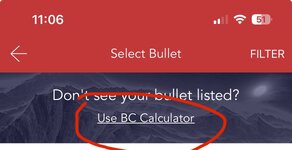
I’ve been having technical difficulties with user defined bullets. The 4DOF app bullet selection appears to default to a Hornady, or other bullet defined in the library, instead of using the data that I input for, say, a Barnes 30cal 180gr TTSX BT. I haven’t seen this issue documented online, and the only workaround I can tell is to actually mail Hornady a 50ct pkg of bullets for them to test and add to the collection.
I’ve called customer service and they basically made it sounds like I was having unique app challenges and they didn’t provide any help (pretty frustrating phone call tbh). I did a screen recording, and sent it to the customer support email, but got a “we’ll get back to you” response. I uninstalled and reinstalled, and confirmed the same issue on a buddy’s iPhone Hornady app. The CS rep did mention he was using an Android version of the app, so maybe there’s a software issue with the iOS version…?
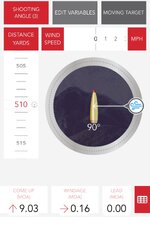
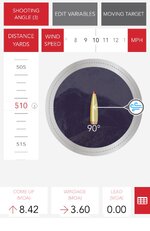
There’s a few other “quirks” about the app, like how if you change environmental variables within the HUD page, the elevation adjustment #s glitch to 0.00 MOA, forcing you to exit and re-enter the HUD. There’s more, but not the point for this post.
TL;DR — having issues with inputting and using “user defined” bullet data in 4DOF. Makes me wonder “is it worth it?” Any workarounds?
I’ve been using the Hornady app for a while and gotten pretty comfortable with the general BC Calculator side of the app and have had good results. But I’m interested in using 4DOF, I like the zero angle feature and the fact that they have direct input for elevation and windage offset in units of inches. The BC calculator side of the app has the same thing, but elevation and windage is kinda cumbersome to input correctly (elevation in inches within the the atmospheric zero menu, and windage offset is input either as MOA/MRAD in a different window or the app determine it from the group analysis if you us the “measure impact location” feature).
Anyways, back to the point and the question: is there any point attempting to make 4DOF work with a non-cataloged bullet in the library (ie. user defined bullet parameters)?
I’ve been having technical difficulties with user defined bullets. The 4DOF app bullet selection appears to default to a Hornady, or other bullet defined in the library, instead of using the data that I input for, say, a Barnes 30cal 180gr TTSX BT. I haven’t seen this issue documented online, and the only workaround I can tell is to actually mail Hornady a 50ct pkg of bullets for them to test and add to the collection.
I’ve called customer service and they basically made it sounds like I was having unique app challenges and they didn’t provide any help (pretty frustrating phone call tbh). I did a screen recording, and sent it to the customer support email, but got a “we’ll get back to you” response. I uninstalled and reinstalled, and confirmed the same issue on a buddy’s iPhone Hornady app. The CS rep did mention he was using an Android version of the app, so maybe there’s a software issue with the iOS version…?
There’s a few other “quirks” about the app, like how if you change environmental variables within the HUD page, the elevation adjustment #s glitch to 0.00 MOA, forcing you to exit and re-enter the HUD. There’s more, but not the point for this post.
TL;DR — having issues with inputting and using “user defined” bullet data in 4DOF. Makes me wonder “is it worth it?” Any workarounds?